Architecture
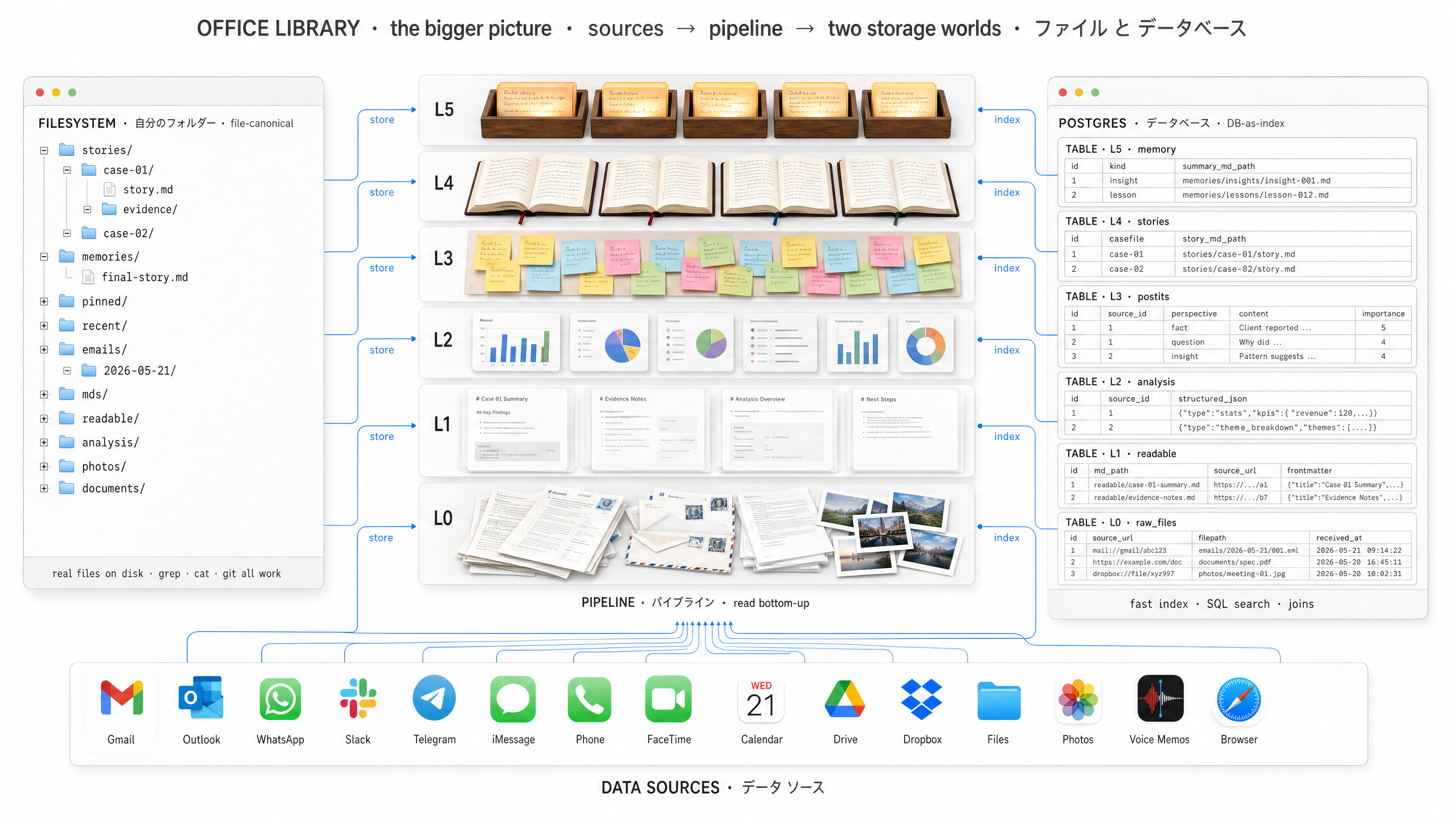
Files canonical. The database is just the index.
Two databases. Five stages. Everything ground-truth on disk.
Drop the database. Rebuild the office from the files on disk in seconds. That is what filesystem-canonical means. The DB is derived state. The files are real.
Two databases — one for the worker, one for the library
The Agent DB
Who is doing what, right now.
- agents
- routines
- issues
- wakeups
- approvals
- channels
The Office Library
What the office collectively knows.
- emails & threads
- conversation turns
- files index
- post-its
- casefiles
- entities & mentions
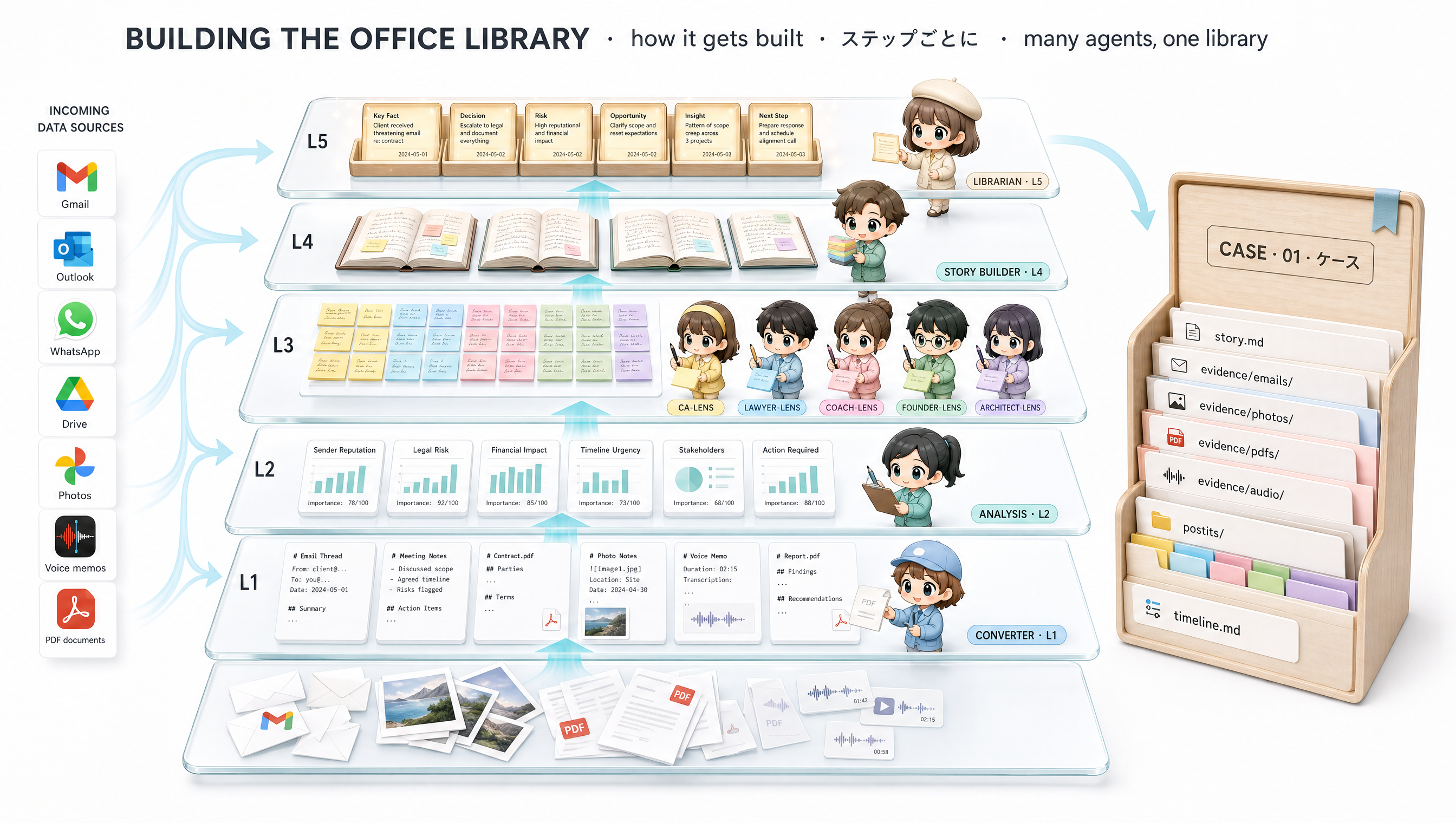
Five stages — from raw evidence to a final story
Pull
Gmail · Outlook · WhatsApp · ERP · bank. Raw bytes land on disk; an index row points to them.
Convert
PDF · DOCX · XLSX · photo · audio → readable .md sidecar that points back to the raw byte.
Post-it
Many perspectives read the same file. Each writes one short post-it from its lens.
Story
Post-its cluster by casefile. A story is rewritten when enough new post-its arrive.
Final story
All active stories woven into one narrative. Rewritten daily. Loaded at every cold-start.
Where the work happens
DB A drives the pipeline
Every stage above is an agent row in DB A. Each fires on a routine or an event.
- pull agents wake on schedule
- converter wakes on a new evidence row
- perspectives wake on a new readable file
- story-builder wakes on a post-it cluster threshold
- final-story wakes on a daily routine
DB B receives everything
Each stage writes rows to DB B that point to the files on disk.
- stage 1 →
files/emailsrows - stage 2 →
body_md_pathset on the row - stage 3 → one
post-itper perspective - stage 4 →
story.mdon disk, hash incasefiles - stage 5 →
final-story.mdon disk, hash incasefiles
Why files-on-disk, not rows in a database
grep · cat · git · markdown viewers · editors — all native.Where this office runs
Ordinary infrastructure. Azure, AWS, GCP, or your own data centre. Filestore for the documents. Postgres for the two indexes. Brains reached via APIs. Nothing magical about the hardware — the sophistication is in how the parts fit together.
How the library is built
A pipeline of agents — pullers, converters, perspective readers, story-builders — turns raw evidence into a structured library. Each stage writes back to disk, with provenance carried at every step.